
 English
 中文
中文
 Melayu
Complete Deposit Tutorial
Welcome to the Deposit Guide

This comprehensive tutorial provides clear, step-by-step instructions for making deposits to your account. Whether you prefer using the mobile app or accessing via a web browser, this guide covers both methods to ensure you can fund your account quickly and securely.
Mobile App Deposit Tutorial

Step 1: Access the Deposit Section in the App
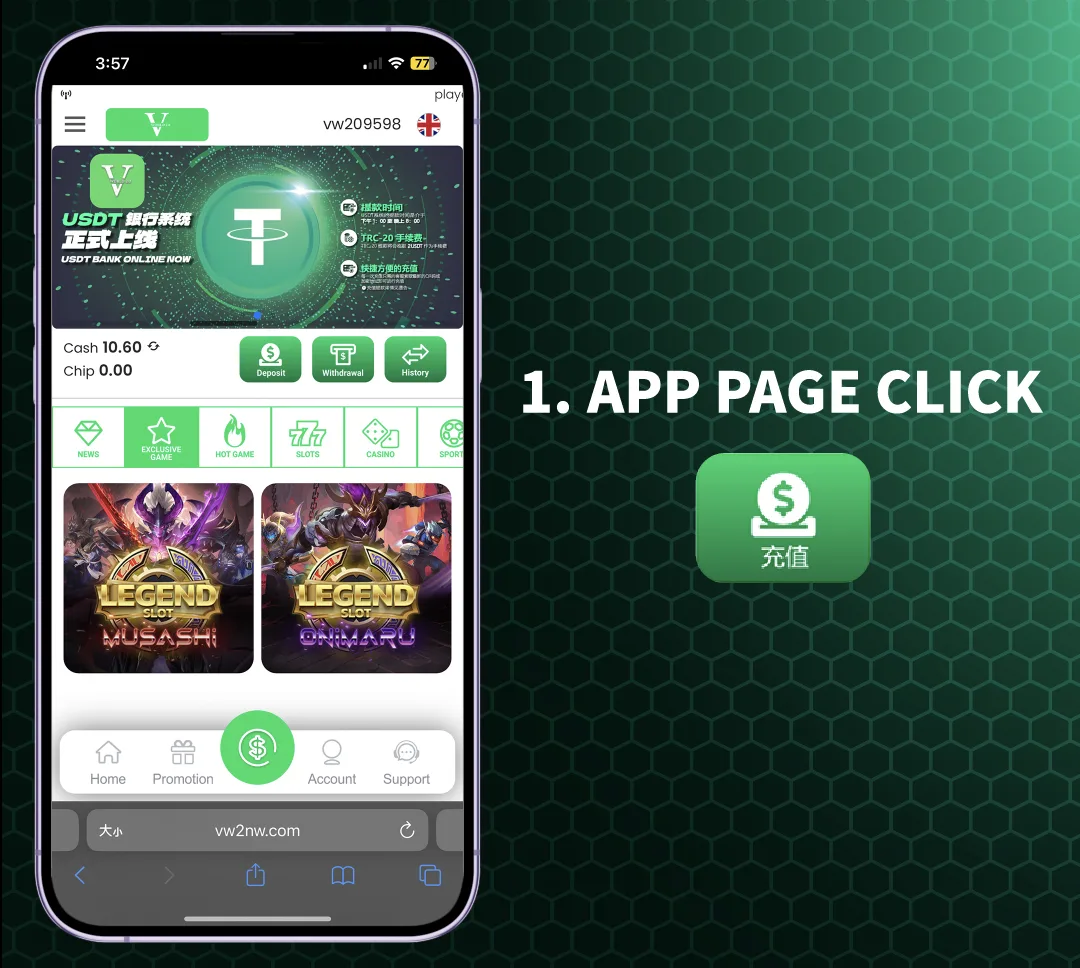
Open the mobile application on your device and log into your account. From the main app page or dashboard, locate and tap on the menu option labeled "Deposit" or "Bank Transfer" to begin the funding process.
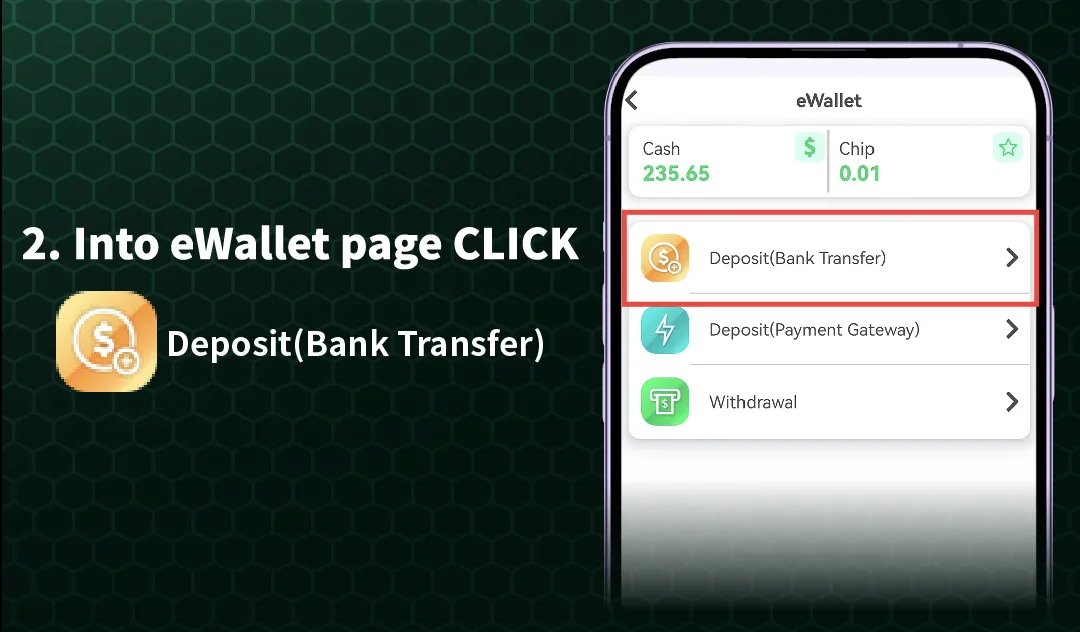
Step 2: Navigate to the eWallet or Banking Page
After tapping "Deposit," you will be directed to the eWallet or banking interface within the app. Here, you will see multiple funding options including "Deposit (Bank Transfer)" and "Deposit (Payment Gateway)." Select the method that suits your preference.
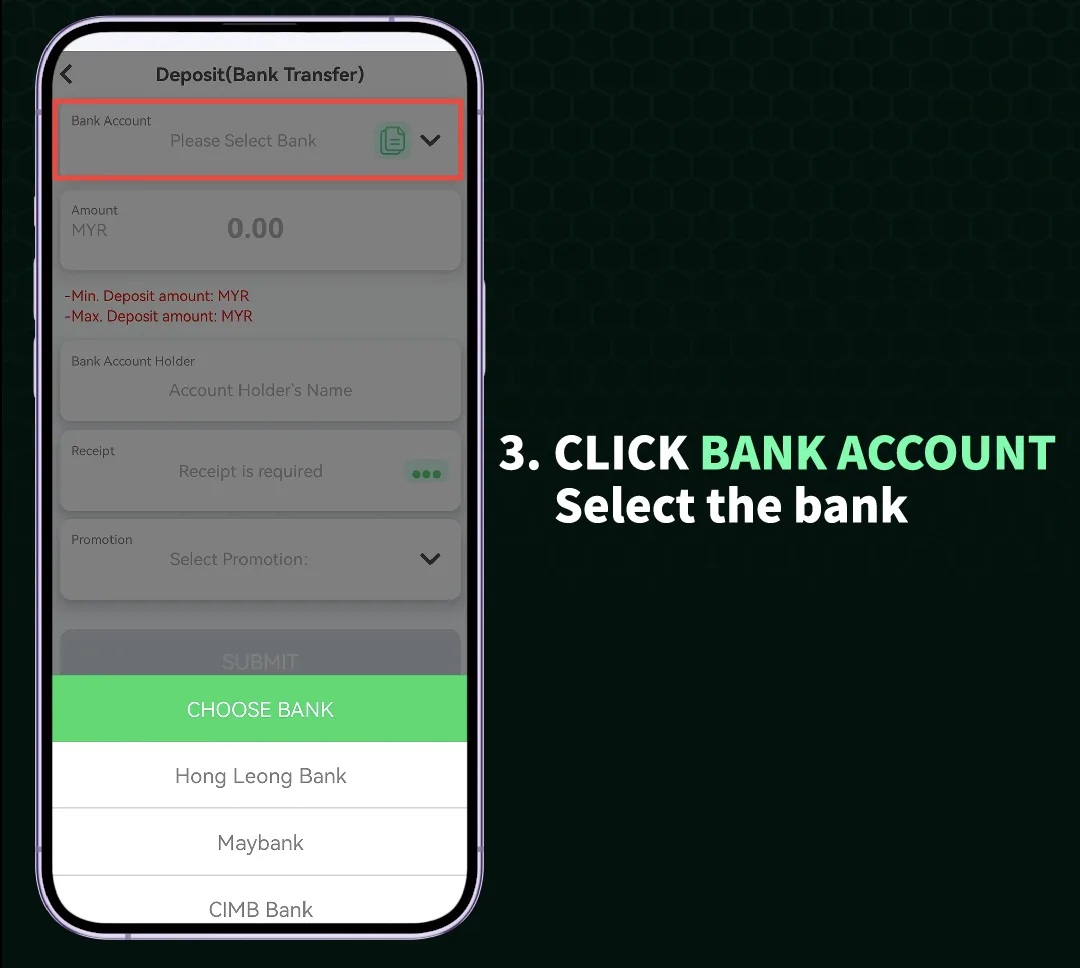
Step 3: Select Your Bank and Complete the Transfer
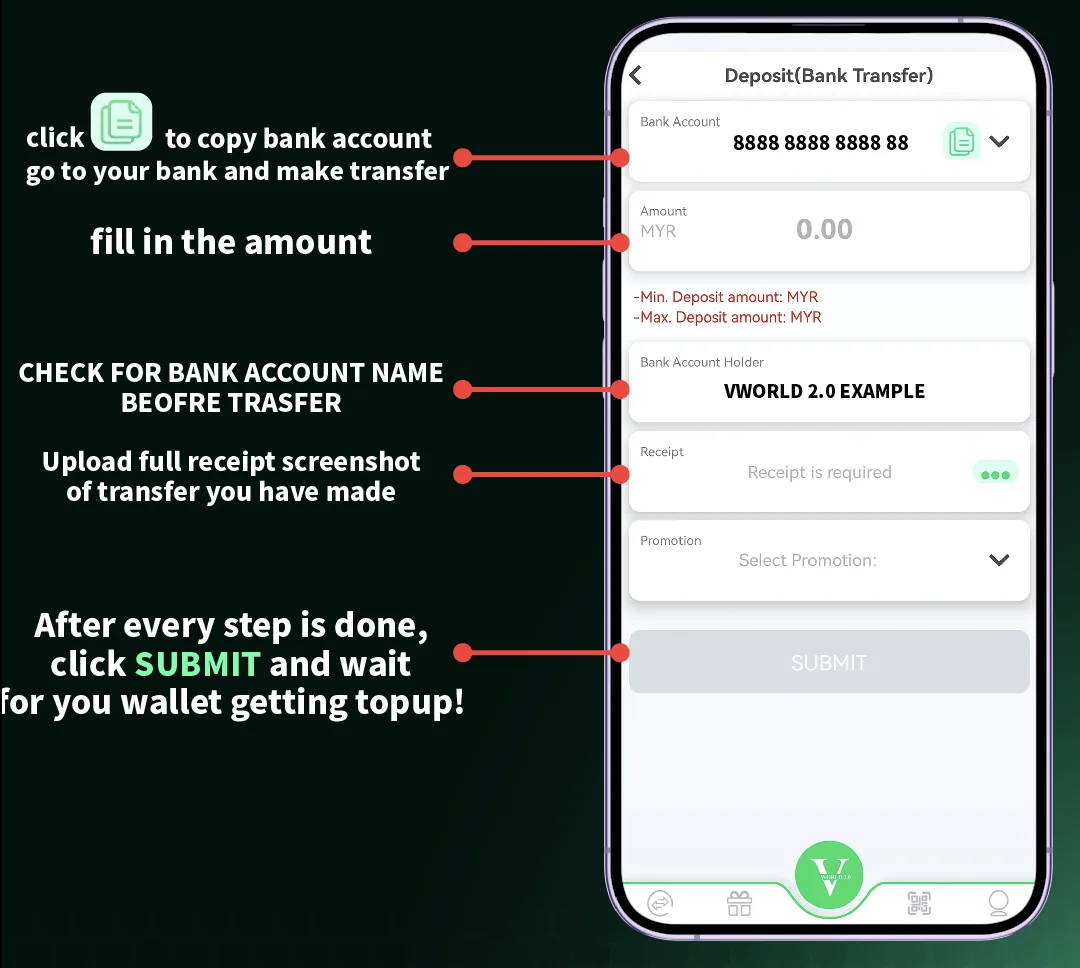
If you choose bank transfer, you will be prompted to select your bank from a list of supported financial institutions. After selecting your bank, follow the on-screen instructions to complete the transfer from your bank account or e-wallet to your account.
Web Browser (H5) Deposit Tutorial
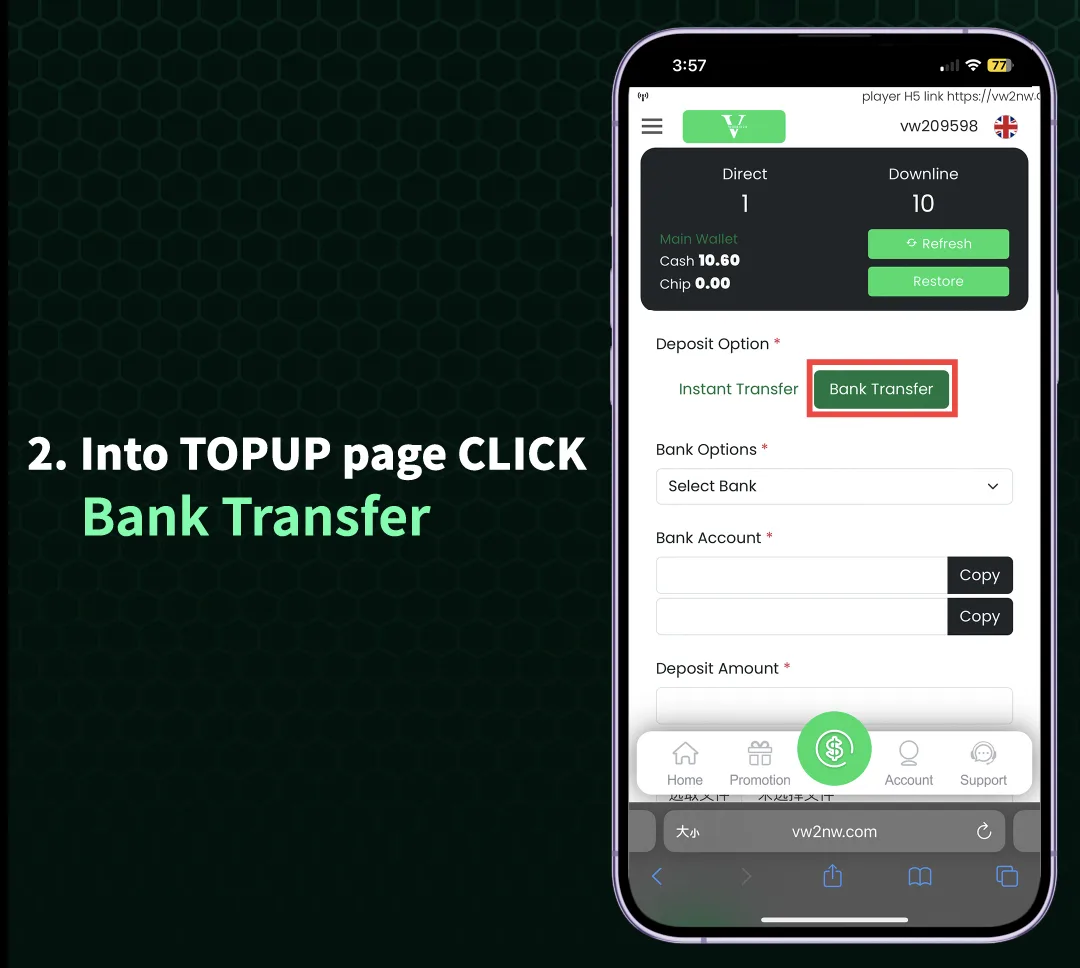
Step 1: Access the Deposit Function on the Website
Log into your account through your mobile or desktop web browser. From the main interface or homepage, locate and click on the "Deposit" or "Bank Transfer" button to proceed to the top-up page.
Step 2: Choose Your Deposit Method on the Web Platform
On the deposit page, you will typically see the option for "Bank Transfer." Click on this option to proceed with a direct bank transfer to fund your account through the web interface.
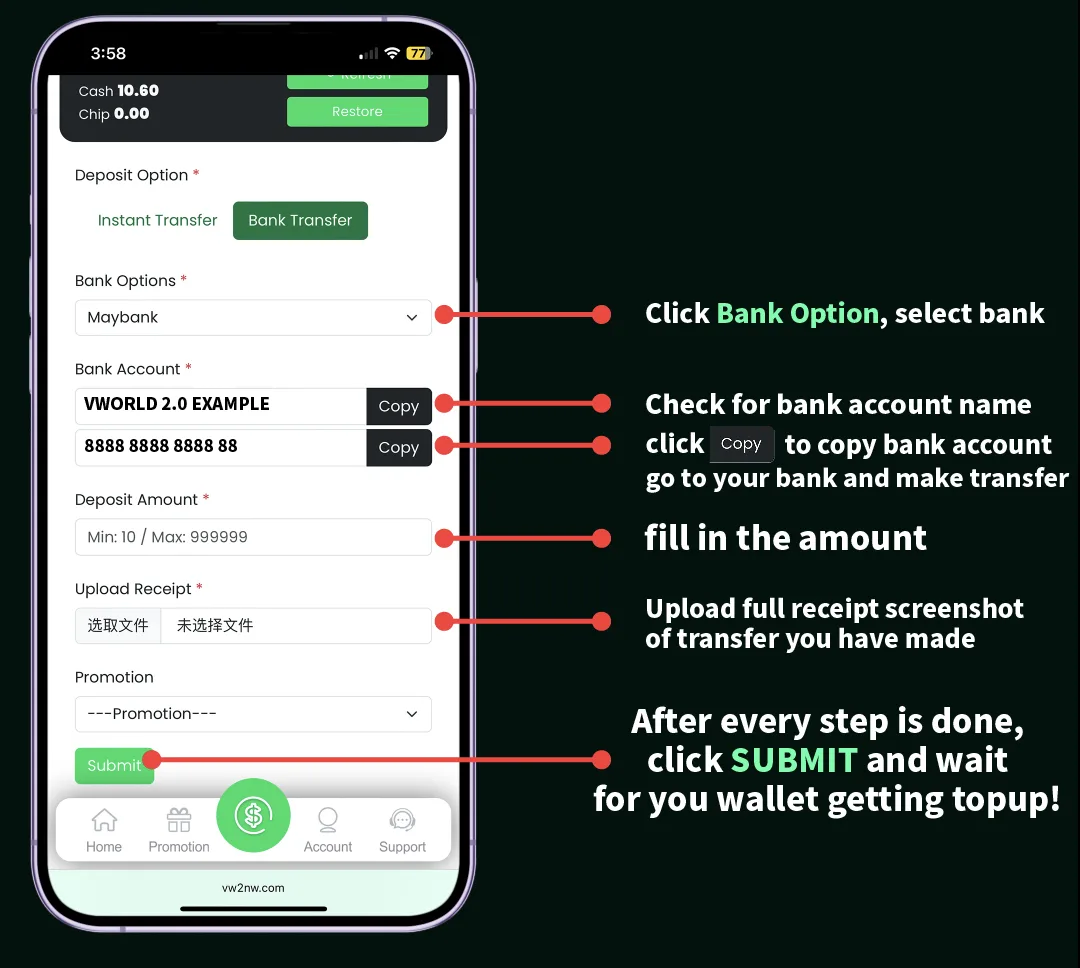
Step 3: Select Your Bank and Finalize the Transaction
Similar to the app process, you will be presented with a list of supported banks. Choose your bank, and the system will provide you with the necessary account details or QR code to complete the transfer from your banking app or internet banking service to your account.
Available Deposit Methods on
supports multiple convenient deposit methods to cater to different user preferences. The primary methods include direct Bank Transfer to supported financial institutions and Payment Gateway services for alternative transaction options. Specific available banks and gateways are displayed within the deposit interface of your account.
Important Tips for Successful Deposits
To ensure smooth transactions, always use the exact deposit amount and reference number if provided. Double-check the recipient account details displayed in your account before transferring. Transactions are typically processed quickly, but allow a few minutes for the funds to reflect in your balance.
Troubleshooting Common Deposit Issues
If your deposit does not appear in your account after completion, first check your bank transaction record to confirm success. Then, ensure you used the correct reference number. If the problem persists, contact customer support through the live chat function with your transaction details for assistance.
Ready to Fund Your Account?
Follow our simple step-by-step guide above to make a secure deposit through the app or web version and start enjoying all that has to offer.