
 English
 中文
中文
 Melayu
Complete Withdrawal Tutorial
Introduction to Withdrawal Process

This detailed guide provides step-by-step instructions for withdrawing your winnings from your account. Whether you use the mobile app or access via web browser, follow these clear steps to ensure a smooth and successful withdrawal transaction.
Mobile App Withdrawal Tutorial
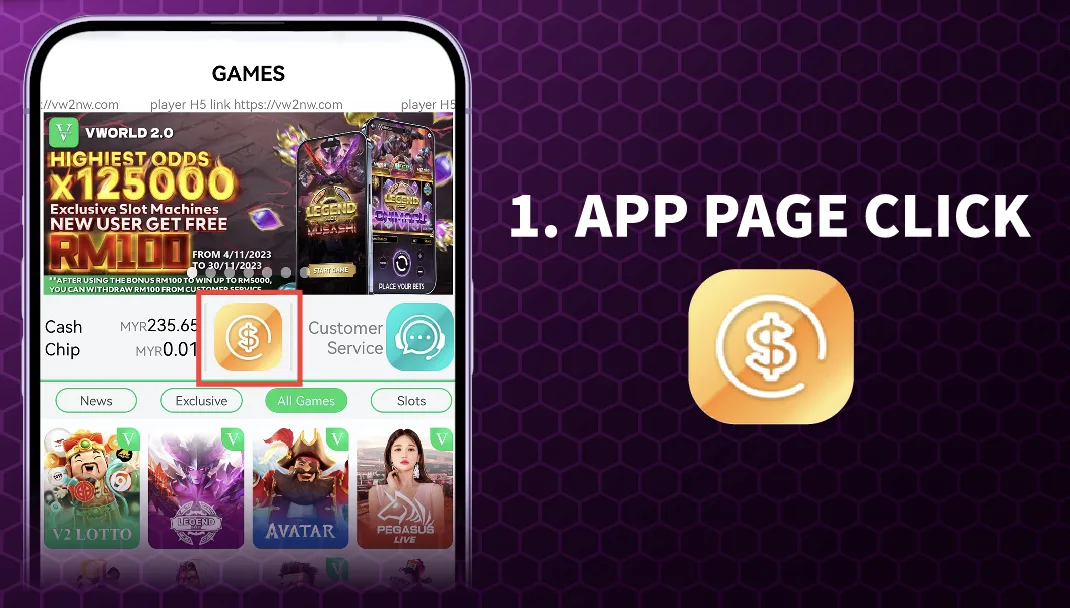
Step 1: Access the Withdrawal Function in the App
Open the mobile application and log into your account. From the main app interface or dashboard, locate and tap on the withdrawal icon or menu option, typically represented by a dollar sign ($) or labeled "Withdrawal."
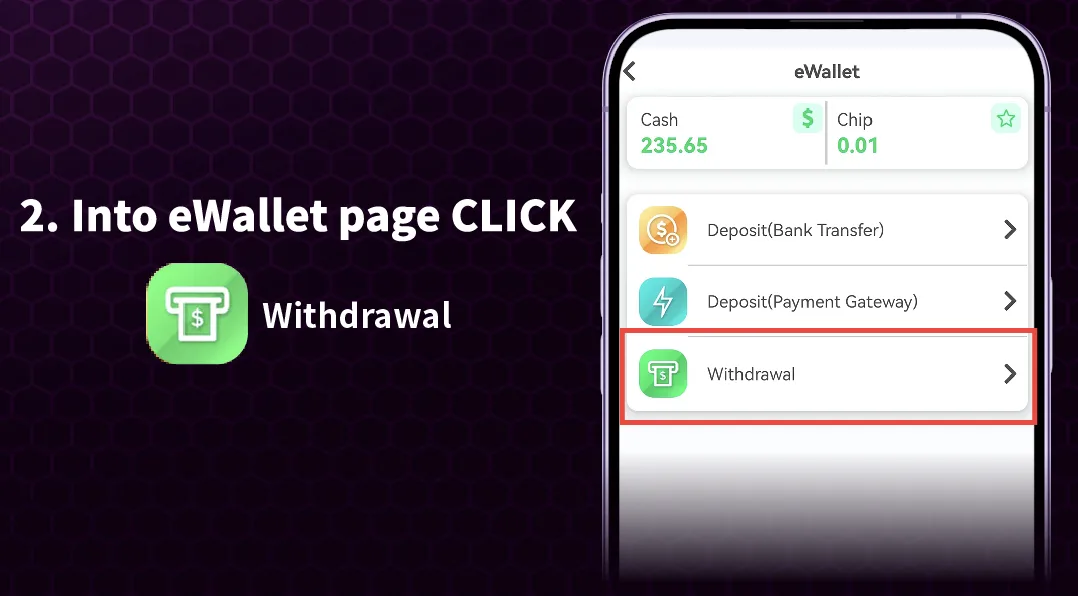
Step 2: Navigate to the eWallet Section
After tapping the withdrawal option, you will be directed to the eWallet or banking page within the app. Here, locate and tap on the "Withdrawal" button to proceed with your cash-out request.
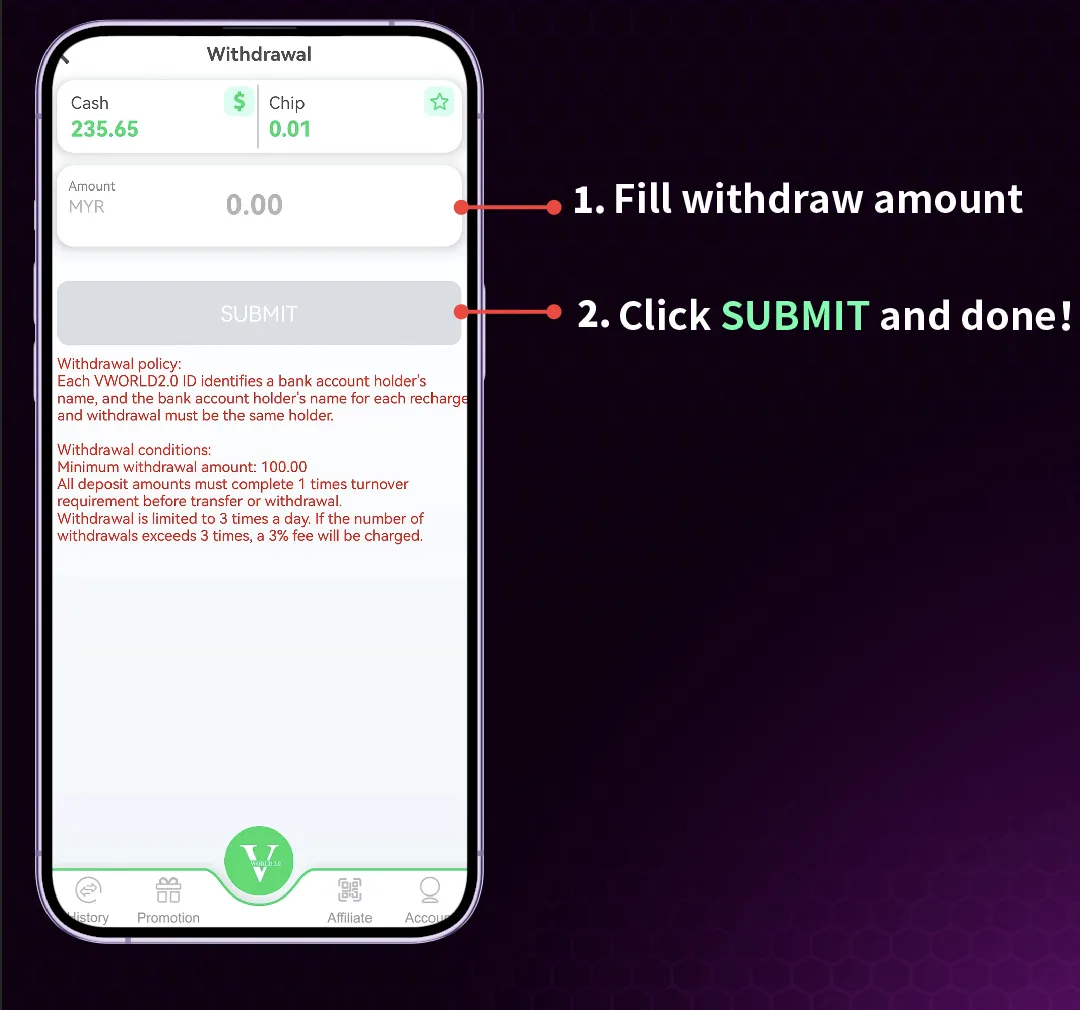
Step 3: Enter Your Withdrawal Amount
On the withdrawal form, enter the specific amount you wish to withdraw from your account balance. Ensure the amount does not exceed your available balance and meets any minimum withdrawal requirements.
Step 4: Select Bank Transfer and Submit Request
Choose "Bank Transfer" as your withdrawal method. Double-check that your registered bank details are correct. Once you have verified all information, tap the "Submit" button to finalize your withdrawal request.
Web Browser (H5) Withdrawal Tutorial

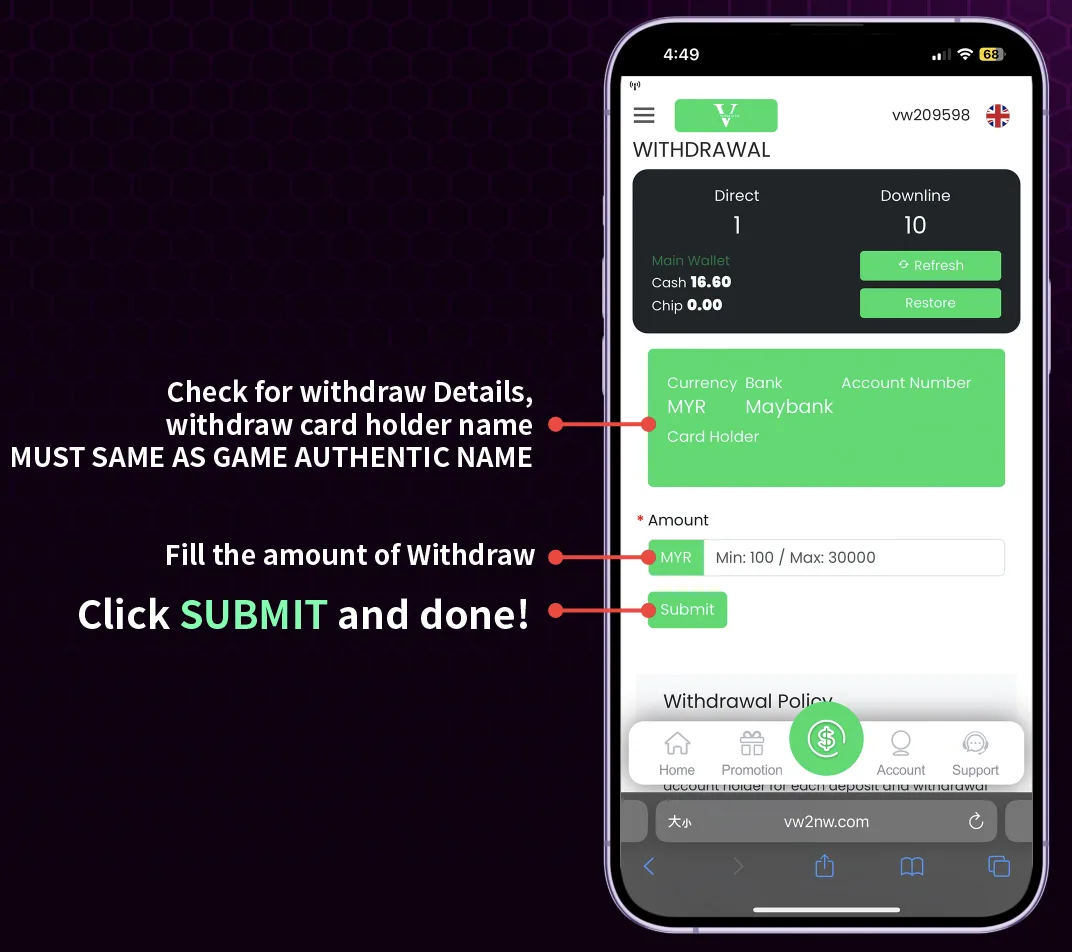
Step 1: Access Withdrawal on the Web Platform
Log into your account through your mobile or desktop web browser. From the main interface or menu, locate and click on the "Withdrawal" option to begin the cash-out process.
Step 2: Verify Your Withdrawal Details
A crucial step in the withdrawal process is verifying your account information. Ensure that the registered bank account holder name matches exactly with your game account's authenticated name. Any discrepancy may cause your withdrawal to be rejected.
Step 3: Enter Amount and Complete Withdrawal
Enter the specific amount you wish to withdraw. Review all details including the withdrawal amount and bank information. Once everything is confirmed as correct, click the "Submit" button to complete your withdrawal request on the web platform.
Important Requirements for Withdrawals
For successful withdrawals on , your account must be fully verified with your real name and authenticated bank details. The name on your bank account must exactly match the name registered with your gaming account. Additionally, ensure you have met any wagering requirements if you've used bonuses.
Processing Time and Confirmation
After submitting your withdrawal request on , the transaction will be processed according to the platform's schedule. Processing times may vary depending on banking hours and verification procedures. You will typically receive a confirmation notification once your withdrawal is approved and processed.
Troubleshooting Common Withdrawal Issues
If your withdrawal is delayed or rejected, first check that your account name matches your bank account name exactly. Ensure you have sufficient available balance and have met all bonus wagering requirements. If issues persist, contact customer support through the live chat function with your transaction details for assistance.
Ready to Withdraw Your Winnings?
Follow our simple step-by-step guide above to successfully withdraw your funds from through either the mobile app or web browser.